NeuroAI: about the company BRIDGES

BRIDGES Engage · The family app

Something to try today, on a day with no appointment

A phone app for parents and caregivers of children with developmental differences, with Allie, an AI coach, inside. You don’t need a diagnosis, a referral or a clinic. Use it with a clinic, without one, or while you wait for one.

The library, daily activity, journal and your clinic’s forms and messages are free. Allie is free to start, with a monthly limit planned. No limit while a clinic sponsors you. If your clinic sponsors you, ask when it ends.

A mother sitting on the living-room floor, reading a book with her son, who leans over the back of the sofa beside her.
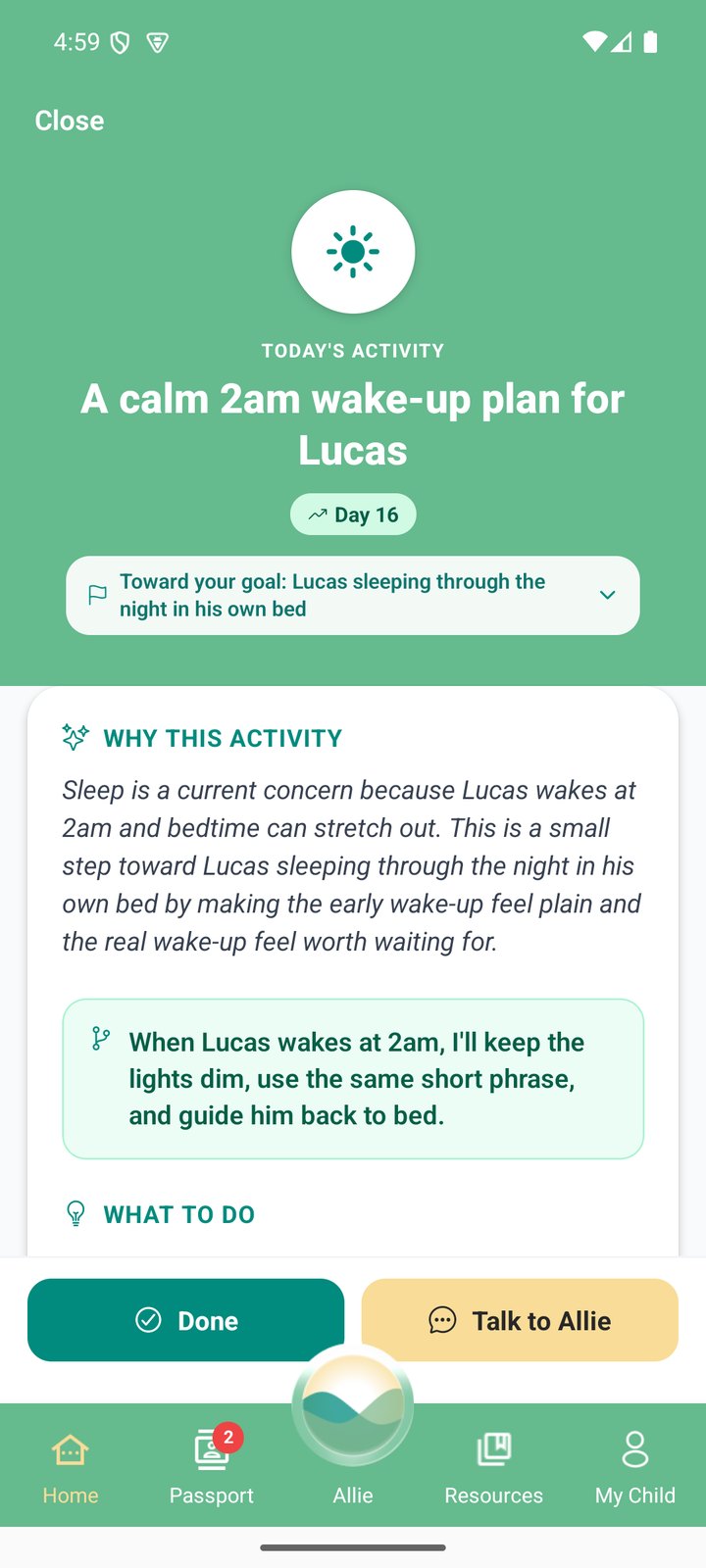
Today's activity in BRIDGES Engage, for a made-up family: A calm 2am wake-up plan for Lucas, day 16, toward the goal Lucas sleeping through the night in his own bed. A line the parent could use reads: When Lucas wakes at 2am, I'll keep the lights dim, use the same short phrase, and guide him back to bed. Two buttons: Done, and Talk to Allie.

Ask Allie about the real moment

  1. Describe what happened
  2. Get one thing to try
  3. Tell Allie how it went

Allie is an AI coach, not a clinician. Meet Allie →
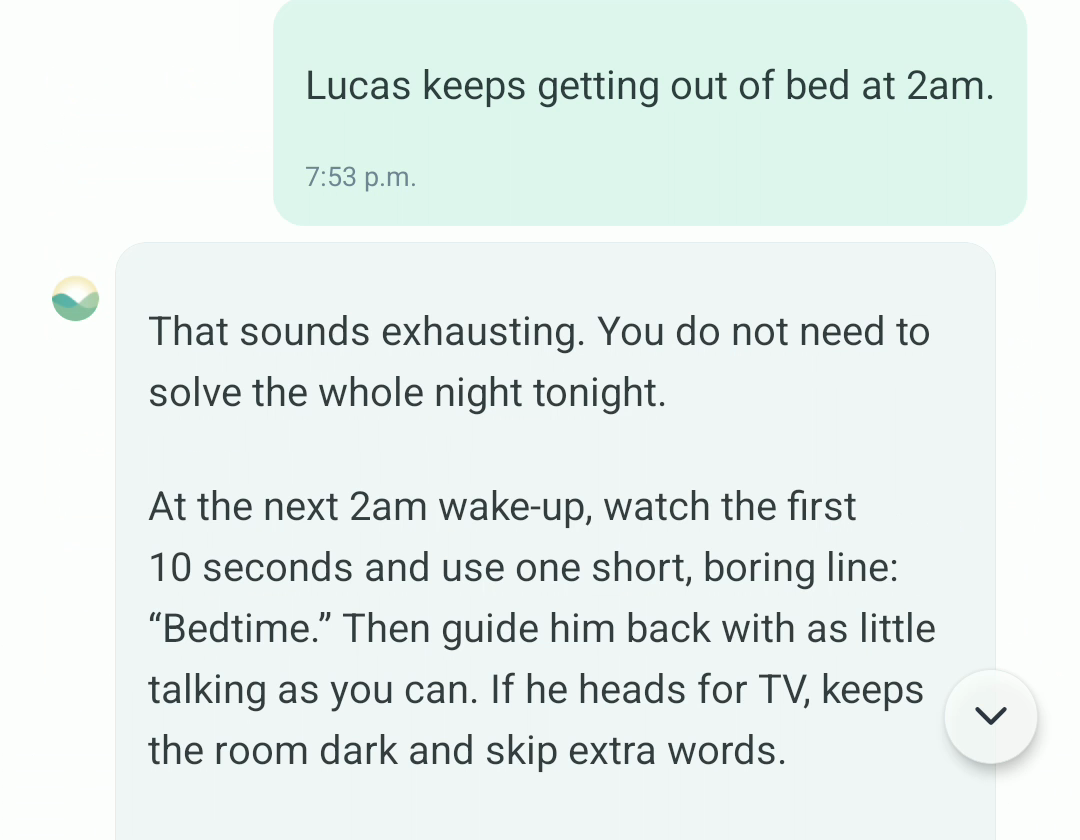
A chat in BRIDGES Engage. A parent writes: Lucas keeps getting out of bed at 2am. Allie replies: That sounds exhausting. You do not need to solve the whole night tonight. At the next 2am wake-up, watch the first 10 seconds and use one short, boring line: Bedtime. Then guide him back with as little talking as you can. If he heads for TV, keeps the room dark and skip extra words.
Allie's reply, unedited.

The app, screen by screen

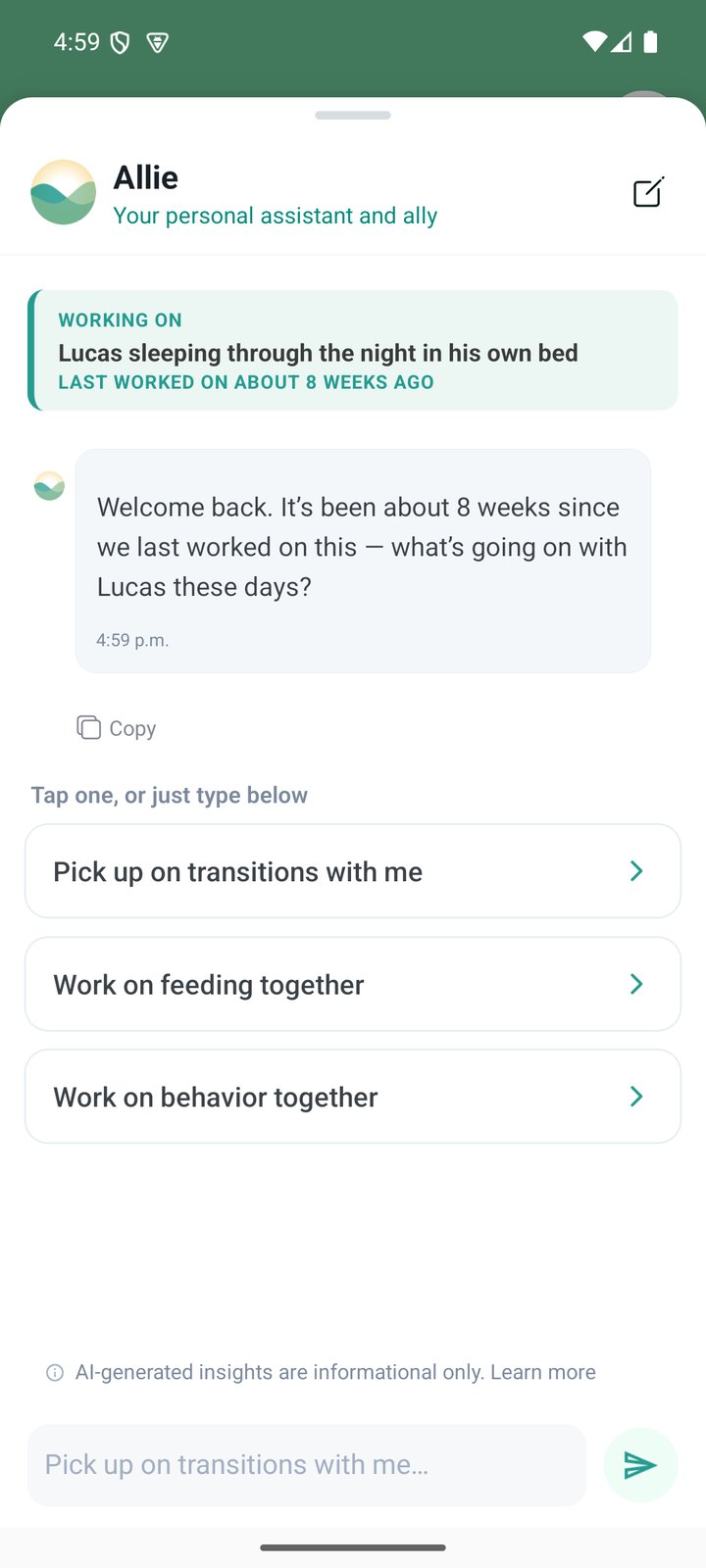
  • The Allie screen. A banner reads: Working on, Lucas sleeping through the night in his own bed, last worked on about 8 weeks ago. Allie writes: Welcome back. It's been about 8 weeks since we last worked on this. What's going on with Lucas these days? Three suggestions follow: Pick up on transitions with me. Work on feeding together. Work on behavior together. Under the chat: AI-generated insights are informational only. Learn more.

    Allie

    Ask about sleep, meals, behaviour, toileting, school.

  • Today's activity: A calm 2am wake-up plan for Lucas, day 16, toward the goal Lucas sleeping through the night in his own bed. Under Why this activity: Sleep is a current concern because Lucas wakes at 2am and bedtime can stretch out. A line the parent could use reads: When Lucas wakes at 2am, I'll keep the lights dim, use the same short phrase, and guide him back to bed. Two buttons: Done, and Talk to Allie.

    One small activity for the day

    With words you could use.
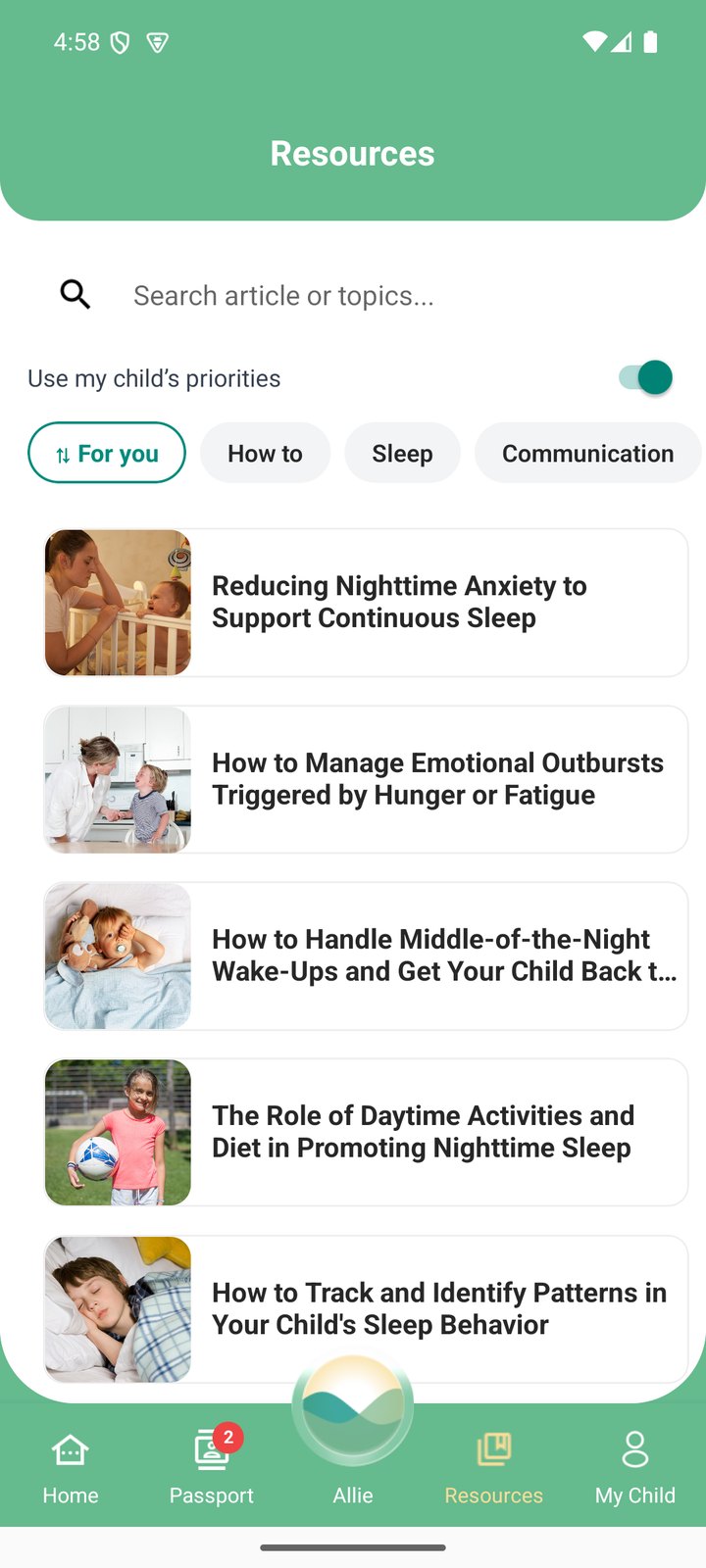
  • The Resources screen: a search box, a switch reading Use my child's priorities, topic buttons For you, How to, Sleep and Communication, and a list of articles about sleep.

    A library to read

    More than 900 articles, written with AI and reviewed by a subject-matter expert before publishing.
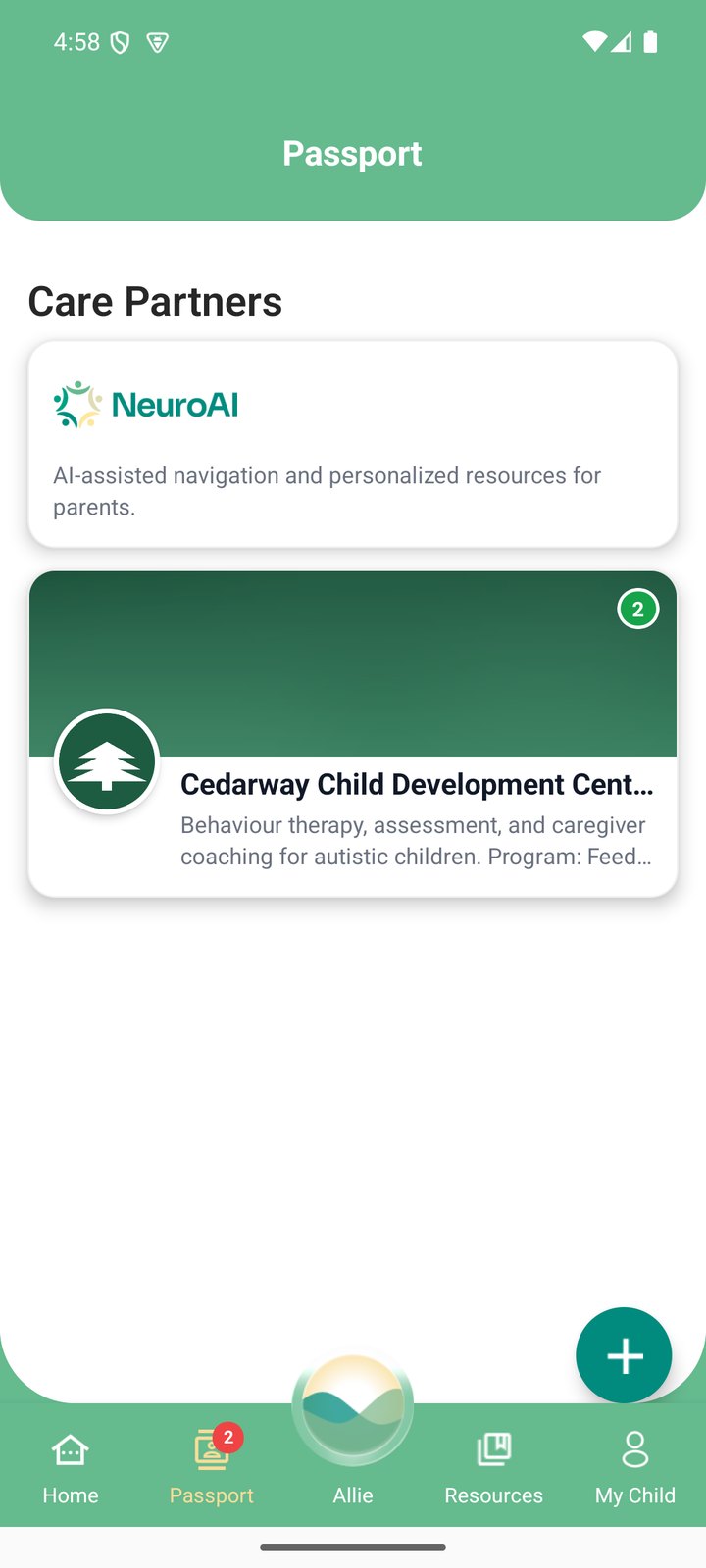
  • The Passport screen, headed Care Partners. Two cards: NeuroAI, and Cedarway Child Development Centre, a made-up clinic, with a badge showing two things waiting.

    Your care partners

    If your clinic uses BRIDGES, you can link the app to it.
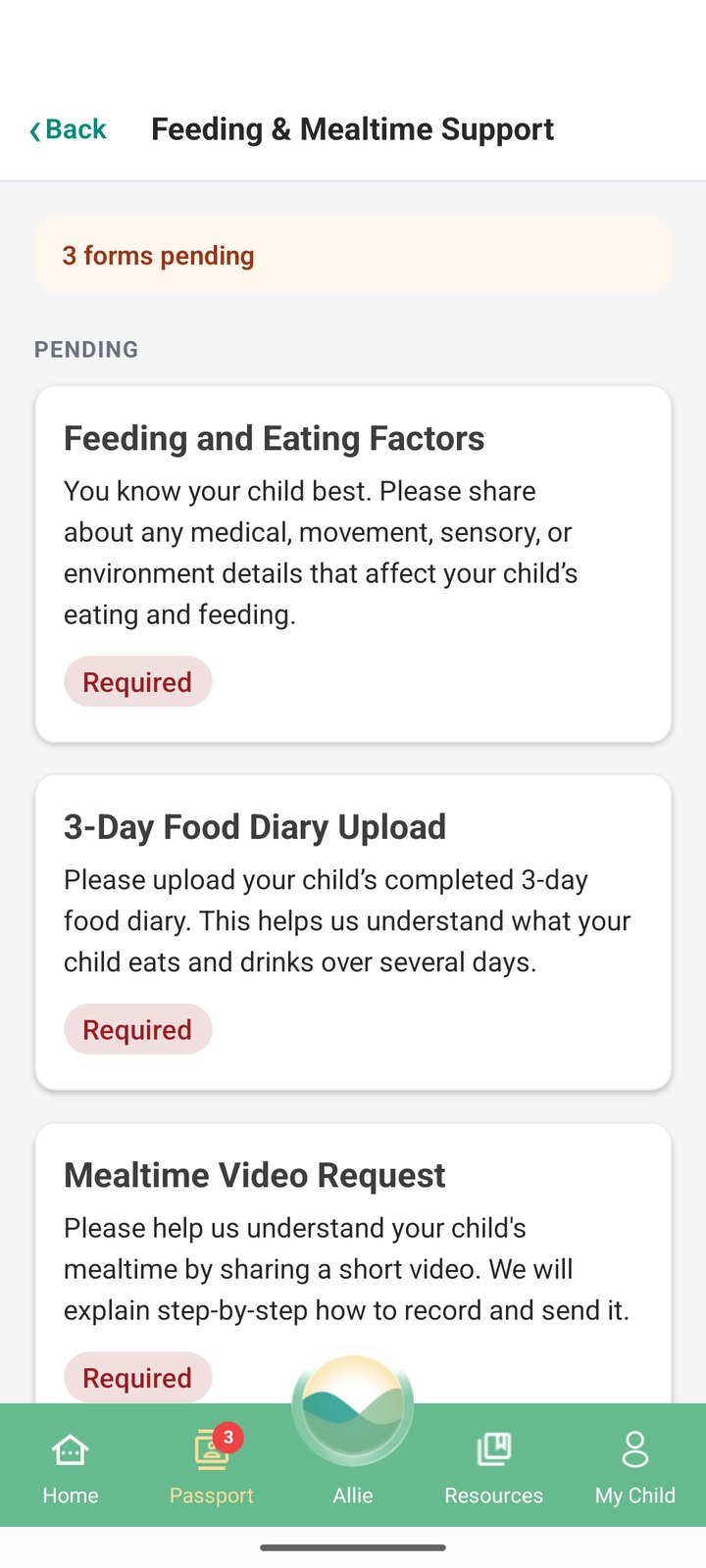
  • A program page from a made-up clinic, Feeding and Mealtime Support. It reads: 3 forms pending. Three forms follow, each marked Required: Feeding and Eating Factors, 3-Day Food Diary Upload, and Mealtime Video Request.

    Forms from your clinic

    Your clinic’s own forms, filled in on your phone.

BRIDGES is not intended to diagnose. It is not treatment or therapy.

If your clinic uses BRIDGES

Link the app to your clinic through Passport. You choose whether to share.

  • Forms.Your clinic’s own forms, filled in on your phone, at your own pace.
  • Messages.If your clinic uses Care Thread, send non-urgent messages to your care team. It isn’t for urgent needs.
  • Notes, photos and video.Your clinic can send you a note, photo or short video from a session. Photos and video of your child stay off until you turn them on.
  • You stay in control.Stop sharing and unlink at any time. Your clinic then can’t open your child’s record in BRIDGES.

Joining is your choice. If your clinic invites you, you can say yes, say no, or decide later.

How to link with your clinic

  1. Download BRIDGES Engage if you haven’t yet.
  2. Open the referral link your clinic sent you on your phone, or enter its access code in Passport.
  3. Read what your clinic will see before you link.
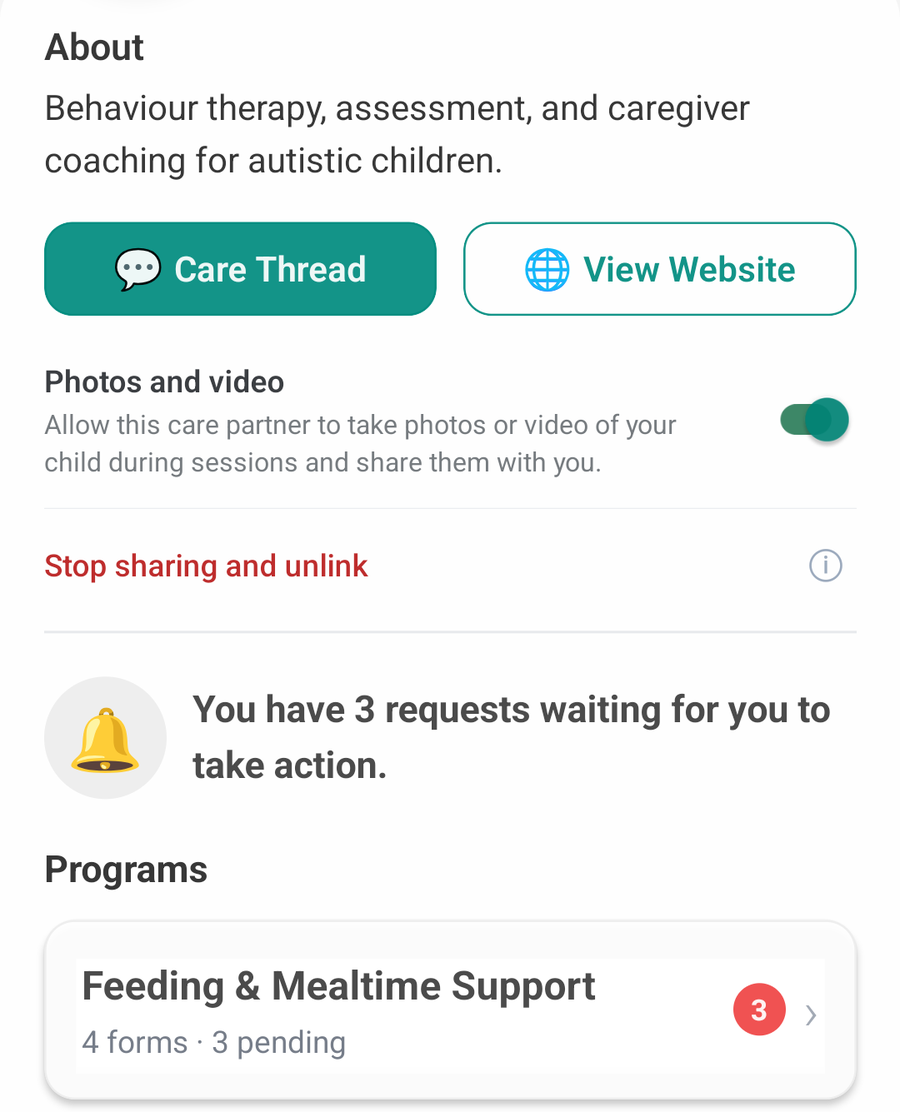
Who sees what, in plain language: Privacy and safety →

A real screen from the family app: a made-up clinic's page. About: behaviour therapy, assessment, and caregiver coaching for autistic children. Two buttons: Care Thread and View Website. A switch, turned on, reads: Photos and video. Allow this care partner to take photos or video of your child during sessions and share them with you. A link reads: Stop sharing and unlink. A notice reads: You have 3 requests waiting for you to take action. Under Programs: Feeding and Mealtime Support, 4 forms, 3 pending.

Get BRIDGES Engage.

Bring one real thing: something that went well, or the stretch you would rather not describe.

Download on the App StoreGet it on Google Play

Got a referral link or access code from your clinic? Open it on your phone.
How it works →

The school wants Naomi to take her ear defenders off in class. I have a meeting Thursday and I need words.
Andre, about Naomi, 9. Made-up example