BRIDGES Clarity · The clinic workspace
Turn wait time into support time
Support families from the first invitation to the first visit and beyond.
- Families get BRIDGES Engage, a phone app with Allie, an AI coach.
- Your team gets BRIDGES Clarity, a workspace to read what a linked family shared before you meet.
BRIDGES doesn’t replace assessment or services.
Private practices can set up on their own. Hospitals and public programs start with a demo and a privacy review.
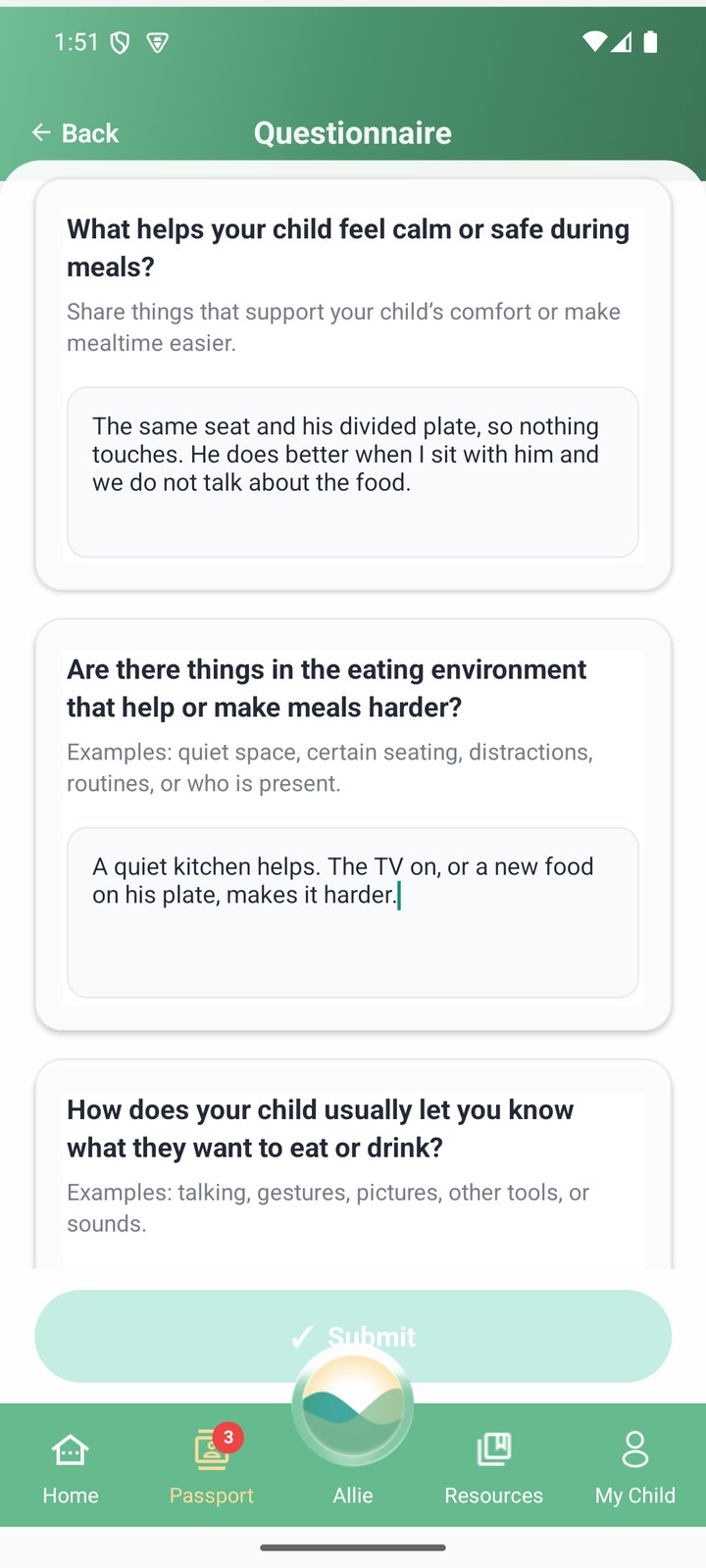
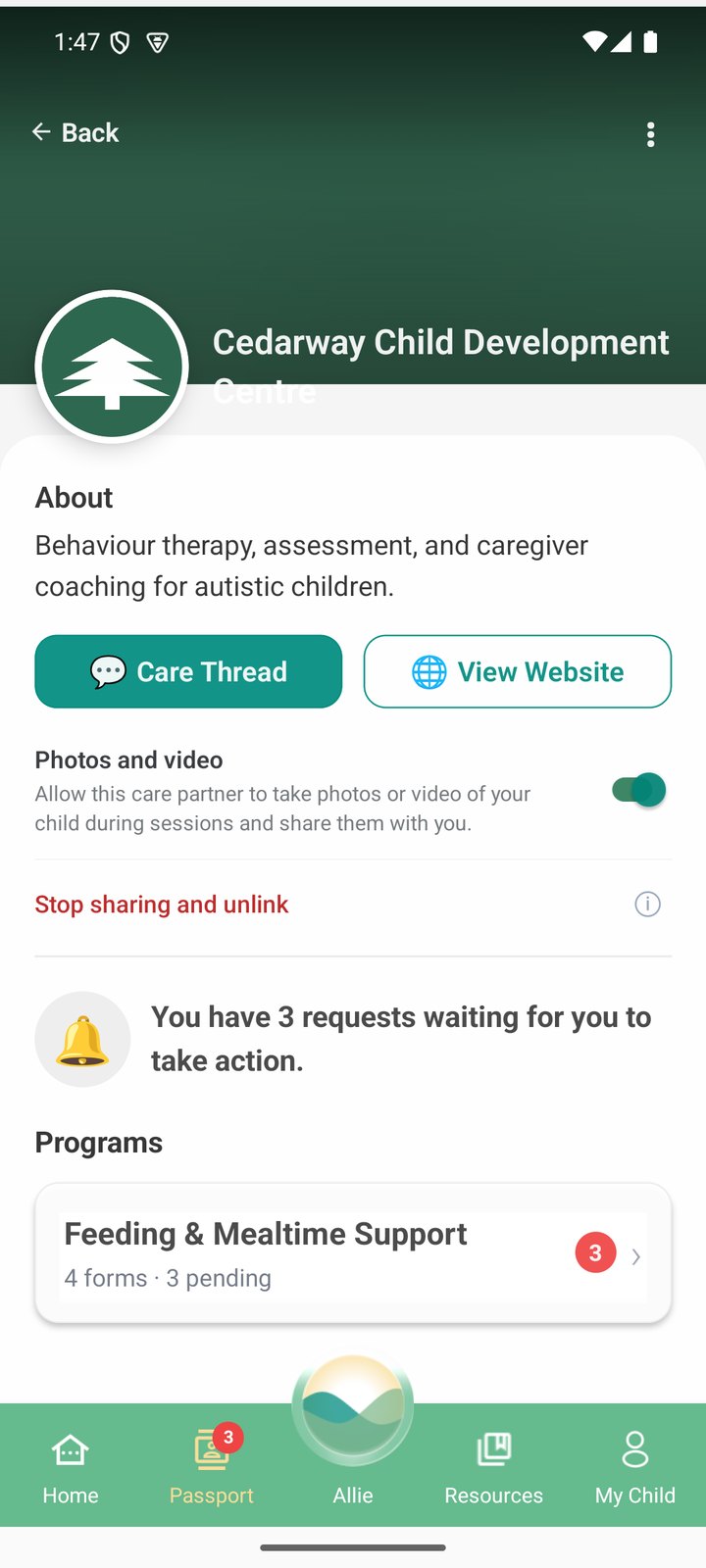
See how it works ↓Your clinic’s own form, on a parent’s phone and in Clarity. Demo data
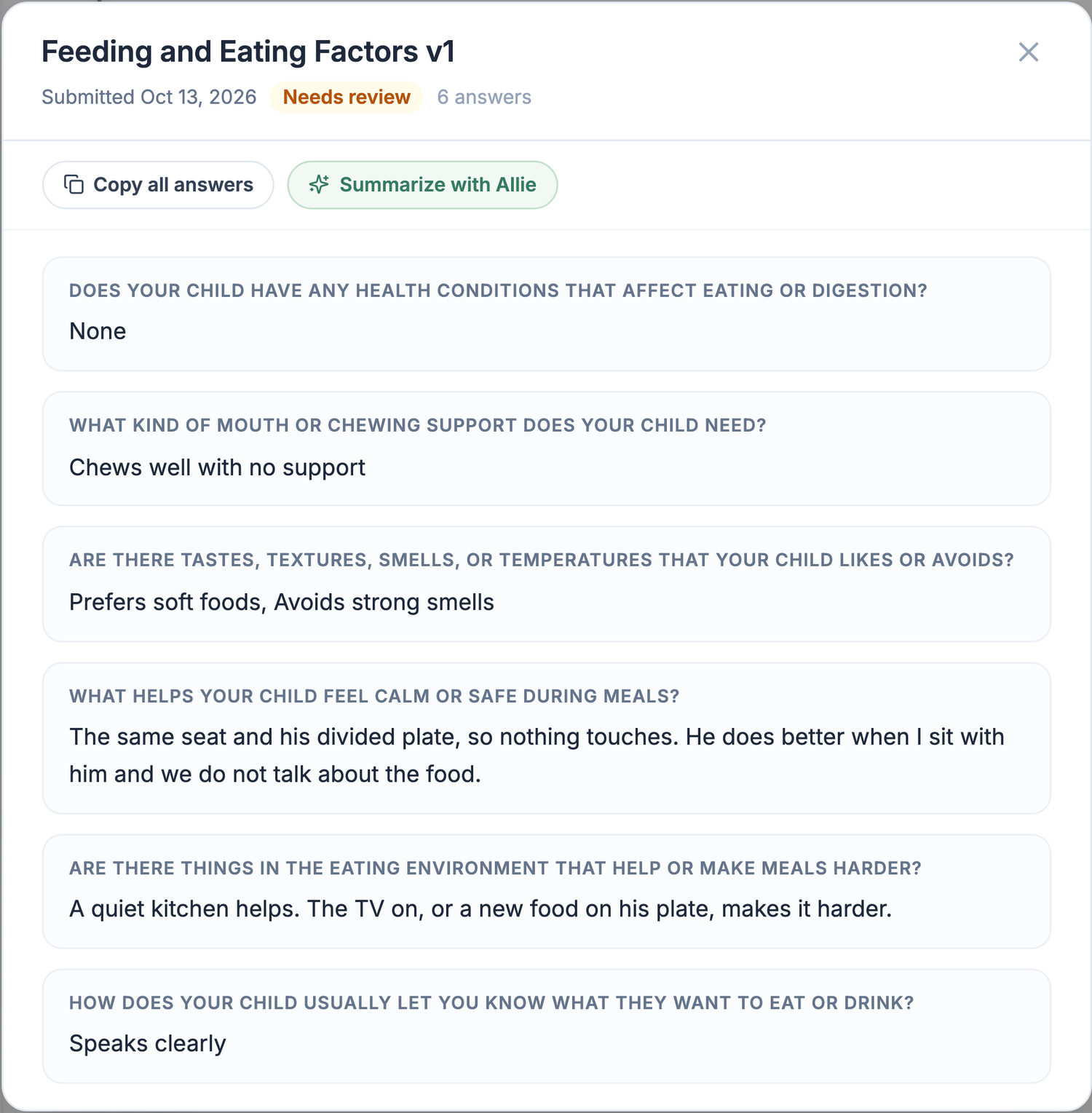
Your clinic’s own form, on a parent’s phone and in Clarity. Demo data
How it works
- Set up and invite.Set up a program from waitlist to completion and choose which forms go out at each stage. Invite families with a referral link or a secure code.
- Families use the app at home.Parents fill in your forms at their own pace, get a daily activity and ask Allie, an AI coach, not a clinician.
- Your team starts from where the family is.Forms and anything a linked family shares arrive in Clarity, even while they wait. Allie can summarize; you review.
What it asks of your team: an admin sets up programs and forms once. Clinicians review what families share when it’s useful, and check any AI draft before using it.
Before the visit
You see the child for an hour. The family lives the rest.
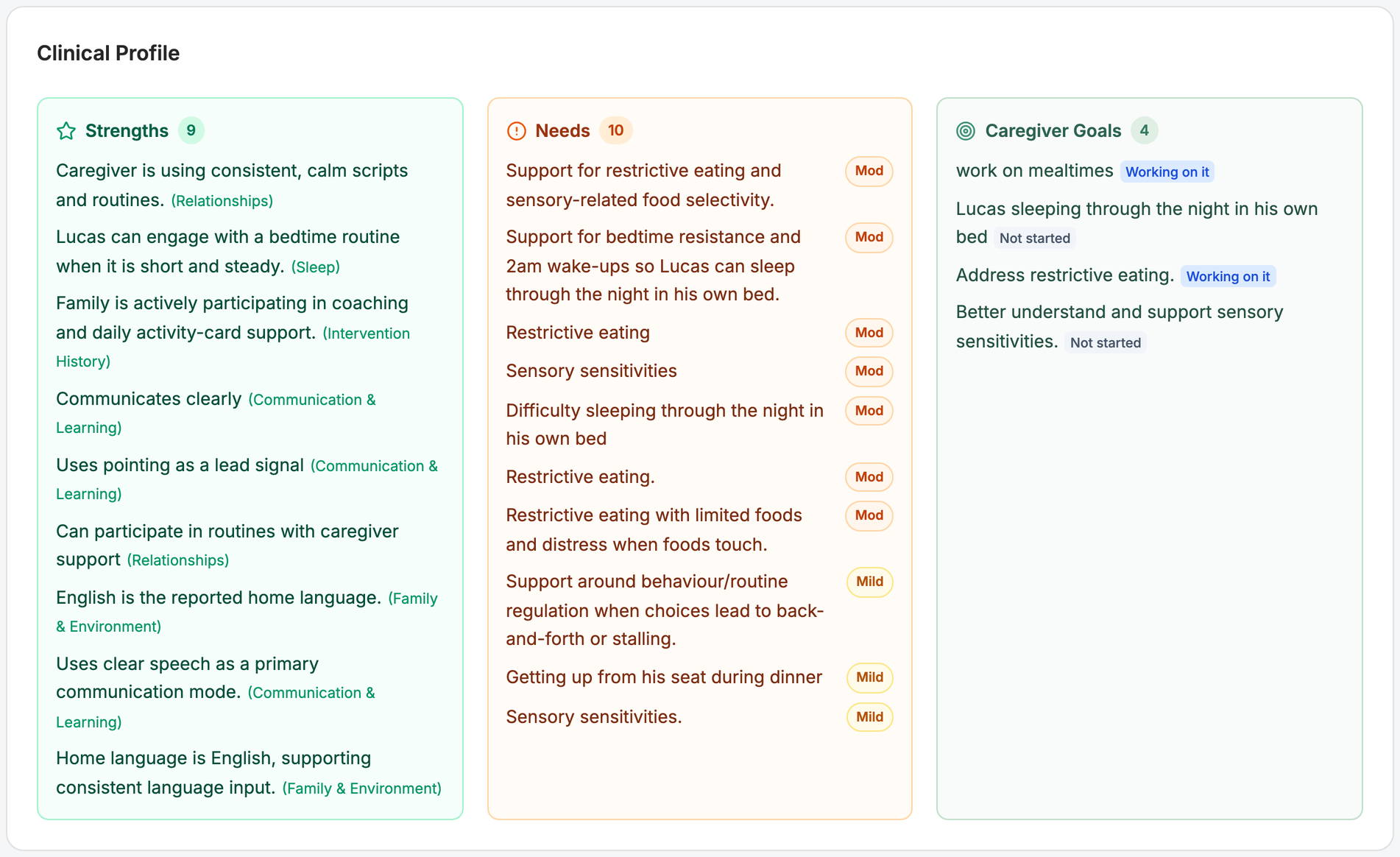
Forms a linked family answered, and any files they attached, are on the client page. Allie drafts a profile of the child’s strengths, support needs and the parent’s goals from what the caregiver reported, for your team to check. You see the profile, not the conversations.
The Data Gaps view lists what isn’t known yet, so you can send a short form that asks for only that.
When you write it up
Allie writes the first draft. You review, edit and sign the final one in your own record.
- A briefing on what changed since the last visit
- A summary of an outside report
- A letter to a school, insurer or service
- Session notes drafted from a conversation, after the clinician confirms the caregiver’s consent, with no audio stored. NeuroAI turns this on for a clinic after a privacy review.
What goes home
Send a form to a family’s phone, or set it to go out at a program stage. Families get a reminder if a form isn’t done.
With Care Thread- Messages.Non-urgent messages with families, kept with the child’s file. Families are told it isn’t for urgent needs.
- From a session.A note, a photo or a short video. Photos and video stay off until the family turns them on.
- Your own materials, on request.Your clinic’s PDFs and links in the library, visible only to your families.
- Your name in the app.Families see your clinic’s name, and Allie access you sponsor at no cost to them.
For the person who runs the program
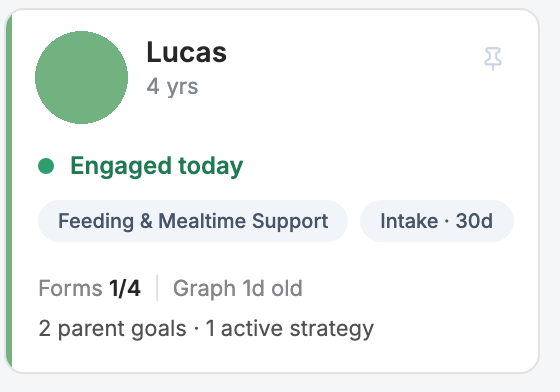
The worklist shows each linked family as a card: when they were last active, forms done, the parent’s goals. Invite families by name and email, many at once, with your clinic’s referral link, or with a secure code.
Admin, Clinician, Care Navigator and View Only roles set which tools each person can use.
BRIDGES is not intended to diagnose. It is not treatment or therapy. Who can open a record, and where drafts are processed: Privacy and safety.
Getting started
Private practice
Set up your clinic yourself, online.
Get StartedWant to see it first? Request a demo →
Hospital, treatment centre or public agency
Start with your privacy office. NeuroAI sets up your clinic after that review.
Request a demoFor your privacy office: Privacy and safety →
What it costs
The clinic or program pays for BRIDGES. While you sponsor a family, Allie has no monthly limit for them. The period is set when the family joins; telling them when it ends is up to you. Private practices see the monthly price before they sign up. For hospital and program pricing, request a demo.
See both sides on one call.
Thirty minutes, the family app and the clinic workspace, a made-up family, one hard question of your choosing. Bring your privacy contact.
Or set up your clinic yourself: Get Started →